Email subject lines and preheaders – how to write them to get more opens?

Your customer's inbox is a crowded place. If you run an online store or handle its email marketing, you're competing for attention with dozens of other senders. Right next to your newsletter sit bank notifications, order confirmations and a dozen other offers. Recipients have only a moment to decide whether to open your email, and all they see is three elements: the sender, the email subject line and the preheader.
You may have a great offer, polished graphics and a well-planned discount code. But if the subject line doesn't convince people to click, no one will ever see them.
In this article, you'll learn how to write subject lines and preheaders that work and which mistakes to avoid.
What are an email subject line and a preheader?
An email subject line is the short text recipients see in their inbox next to the sender's name before they open the message. A preheader is a single sentence displayed next to or below the subject line, depending on the email client. Together, they work like a teaser: they tell people what's inside and why it's worth their time.
The preheader is also called preview text. In email marketing platforms, you usually set it in a separate field of the campaign editor.
Sender, subject line and preheader - three lines that decide whether your email gets opened
Recipients judge an email as a whole, not word by word. First, they check the sender: do they know the brand and do they trust it? Then they read the email subject line and decide whether it's interesting to them. Finally, the preheader adds the detail that tips the decision to open.
That's why each of these elements should bring something different. If the preheader repeats the subject line word for word, you're wasting space. If your sender name changes with every campaign, recipients won't recognize your store before they even get to the subject line.
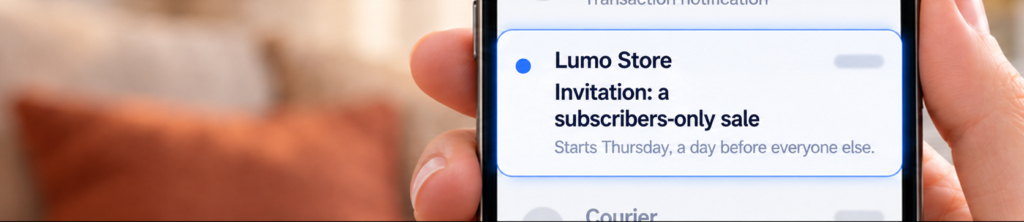
Here's a pair that works together:
Subject line: Invitation: a sale for subscribers only
Preheader: We start on Thursday, a day before everyone else.
Why does the email subject line affect open rates?
The email subject line is the part of your campaign that every recipient sees, including those who never open the message. It decides whether anyone gets to your email content, your offer and your CTA button. A weak subject line drags down the results of the entire send, even if everything else is polished.
The subject line can also have a real impact on your sender reputation. In its guidelines for senders, Gmail states that the subject line and headers should accurately represent the sender and the content of the message.
A subject line that promises something the email doesn't deliver discourages people from opening future emails and nudges them toward the "Report spam" button. You'll see the effect in your open rate and other email marketing metrics.
See also: Email marketing metrics: Open Rate, CTR, CTOR and more >>>
How to write an effective email subject line
An effective email subject line is short, specific and consistent with what recipients will find inside.
There's no single formula that works for every store. But there are principles that hold up in most campaigns, from newsletters to promotional emails.
When you sit down to write an email, start with the subject line and give it extra attention.
Put the most important words first
Lead with what matters most, because the end of a subject line often doesn't fit on the screen. How many characters recipients see depends on the email client, the device and their inbox settings. Phones usually show less than computers, and many online shoppers read their email on a smartphone.
Compare two versions of the same subject line:
- "We've got something special for you this weekend: 30% off coats",
- "30% off coats this weekend only".
In the second version, the discount stays visible even if the end of the subject line gets cut off. Write your subject line, then check whether its first few words make sense on their own.
A benefit or a problem instead of generalities
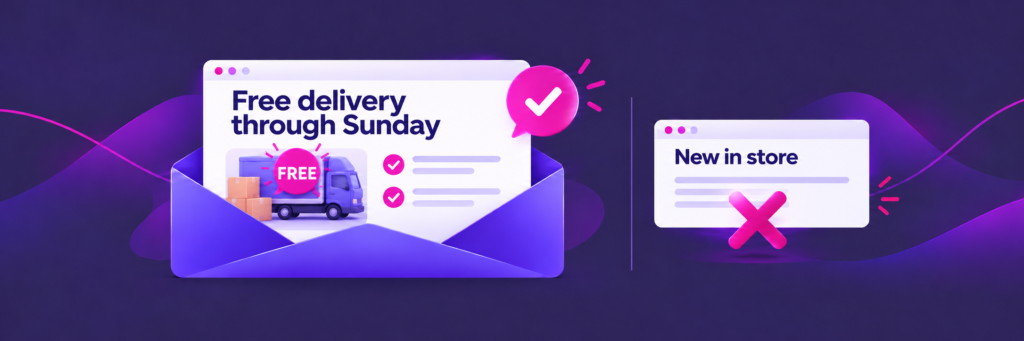
A good subject line tells recipients what they'll gain or what problem it will solve. "New in store" or "Newsletter #42" give no reason to open the email. "Free shipping through Sunday" or "How to choose the right running shoe size" do.
The easiest way to check is to ask one question: what does the customer know after reading the subject line alone? If the answer is "nothing," add specifics.
Describe the benefit (a discount, a free gift with purchase, a product back in stock) or name the problem your customer comes to you with. Don't bury the important information at the end of the sentence.
Personalization - the recipient's name is just the start
Skip "Dear Sir or Madam" - this isn't a letter to a government office. The recipient's first name in the subject line catches the eye and can boost engagement, but on its own it isn't enough. When every store addresses customers by name, the tactic no longer sets you apart.
Also check how the name actually appears: "Anna, we have something for you" reads naturally, while "ANNA, we have something for you," pulled from a form typed in all caps, doesn't. Contact data is often incomplete, so set a fallback for contacts without a first name. And leave last names out of the subject line.
Behavior-based personalization works even better. A subject line that refers to a category the customer browsed, their last purchase or an item in their cart shows that the email was written for a specific person, not for the whole list.
To learn where to get this kind of data, read our article on personalization in e-commerce.
Curiosity and questions without clickbait
Curiosity gets people to open emails, but only if the content keeps the promise made in the subject line. You can ask a question ("Do you know how to wash a down jacket?"), tease an answer or leave something unsaid. A question works best when it addresses a real customer problem and the email explains right away how to solve it.
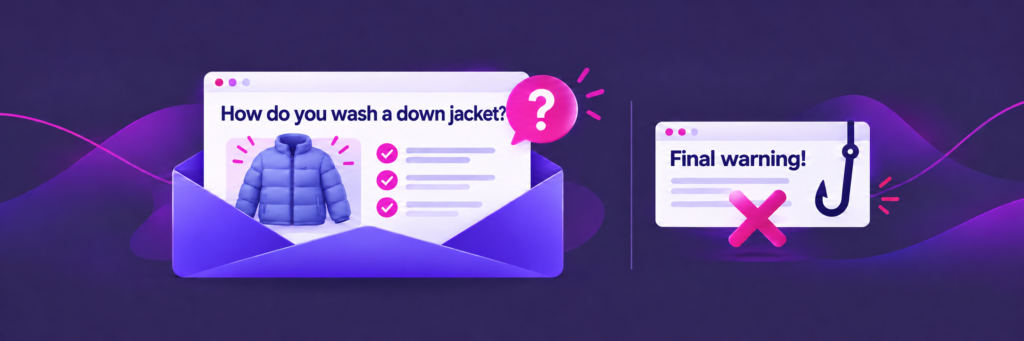
The line is simple: avoid clickbait and false promises, because a subject line must never mislead the recipient.
A fake "Re:" or "Fwd:", hinting at an order that was never placed or a "Final warning" for a regular promotion can bring a one-off spike in opens. After that come unsubscribes, spam complaints and lost trust in your brand.
Urgency, numbers and discounts
A deadline and a specific discount are among the simplest ways to grab a recipient's attention. "Discount code valid until midnight" or "Short on time? Order by 2 p.m. and we'll ship today" say clearly what's on offer and until when. Numbers stand out among words, so they're easy to spot in a crowded inbox.
But remember: urgency has to be real. If you say a sale "ends today" and it's still running tomorrow, customers will quickly learn to ignore messages like that.
Emojis, capital letters and exclamation points
An emoji can make a subject line stand out if it fits your brand and carries meaning rather than just decoration. A single heart in a Valentine's Day email can replace a few words, while five emojis in a row look like spam. Also check how a given emoji displays in popular email clients, because it doesn't look the same everywhere. Gmail advises against emojis that suggest the sender has been verified in some way.
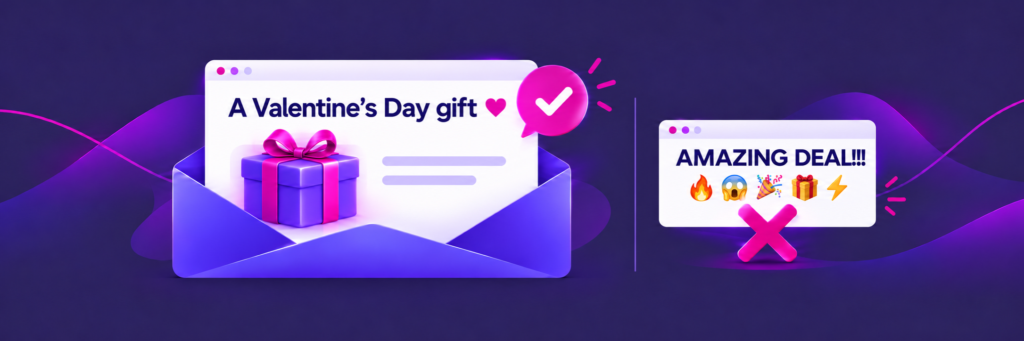
The same goes for capital letters. A subject line in all caps or too many exclamation points and other punctuation marks reads like shouting and looks like spam. Write it as a normal sentence. Some brands deliberately start their subject lines in lowercase so they sound like a message from a friend. It's a tactic for brands with a casual tone, not for everyone.
How to write a preheader that seals the deal
A good preheader builds on the subject line and gives a second reason to open the email instead of repeating it. If the subject line says "what," the preheader can say "why now" or "who it's for." Treat it as the second line of the same message, not a separate piece of text. Your subject line and preheader should form one coherent message that gives your email a better chance of being opened.
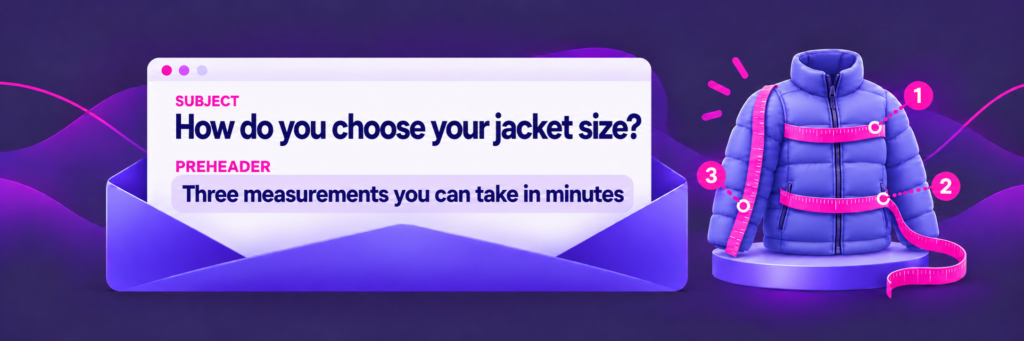
Three combinations that work well:
- subject line with an offer, preheader with a deadline: "15% off the entire collection" and "The discount runs through Sunday, new arrivals included",
- subject line with a question, preheader that teases the answer: "How do you choose the right jacket size?" and "Three measurements you can take in minutes",
- subject line with a product, preheader with an argument: "Your sneakers are waiting in your cart" and "Free shipping on this order".
What happens if you don't set a preheader?
The email client will display the first text it finds in the email's code. Most often that's "View in browser," the logo's alt text or the first sentence of the email. A preview like that usually tells recipients very little and makes the email look rushed.
Setting a preheader takes a moment, so add one to every campaign and every automated email. That includes transactional emails. In an order confirmation, the preheader can show the order number and the estimated delivery date right away.
Preheader length and hidden preheaders
There's no single right length for a preheader, because every email client displays a different number of characters. Put the most important information in the first few words, just like in the subject line. Treat the rest as a bonus that some recipients will see and others won't.
If your preheader is short, the inbox may pull in more text from the email after it, such as a heading or the first sentence of the body. That's why emails use a hidden preheader: text that isn't visible in the message itself, followed by a string of invisible characters that fill the rest of the preview. Many email marketing platform editors do this automatically when you fill in the preheader field. Still, send a test email to check how it looks in Gmail, Outlook and Apple Mail.
In automated emails, the subject line and preheader can change for each recipient - pulling in the name of the abandoned product, the category the customer browsed or the expiration date of their coupon.
If you'd like to see how workflows like these work in practice, book a demo of the ExpertSender platform.
The most common email subject line mistakes
Most mistakes come from rushing, not from a lack of ideas.
When writing emails, the subject line is often the last thing added, once the graphics and copy are ready. Yet it's the first thing recipients see, so polish it down to the smallest detail.
Before you hit "Send," check that you're not falling into any of these traps:
- A subject line that doesn't match the content. A promise the email doesn't keep puts people off and increases the risk of spam complaints.
- The same pattern every week or month. Recipients stop noticing "Newsletter - October" after a few sends.
- No preheader. The preview shows "View in browser" instead of a reason to open.
- Typos and personalization errors. "Hi, {first_name}" or a badly formatted name spoils the impression, even with a great offer.
- Shouting in the subject line. All caps, rows of exclamation points and phrases like "FREE!!!" or "Click here" hurt your credibility.
- Trying to fix spam issues with the subject line alone. If your emails land in spam, the cause usually runs deeper: your domain reputation, authentication and list quality.
How to test email subject lines
The simplest way to test subject lines is an A/B test. One part of your list gets version A, another gets version B, and the remaining recipients get the winning variant. Change one thing at a time, for example only the subject line or only the preheader. Otherwise, you won't know what made the difference.
Be careful about relying on open rate alone. Apple Mail Privacy Protection loads email content automatically, so some opens are recorded even though no one actually read your email. When you evaluate a test, look at clicks and sales from the email as well.
Keep the results of your tests in one place. After a few months, you'll see what works for your audience: questions or specifics, emojis or none, a first name or a product name in the subject line. That insight is worth more than any list of ready-made ideas from the internet.
Frequently Asked Questions (FAQ)
What should you write in an email subject line?
In the email subject line, say what recipients will find inside and why they should open the email now.
Specifics work best: an offer, a deadline, a product or a problem you solve. The same rule applies when you're wondering how to title an email: a short preview of the content, with the most important words first.
How long should a preheader be?
There's no single right length, because email clients display different numbers of characters. Put the most important information at the start of the preheader and treat the rest as extra. If your text is short, use a hidden preheader so the inbox doesn't pull random content from the email into the preview.
Can a subject line send your email to spam?
It can contribute, but it's rarely the only cause. Spam filters mainly look at sender reputation, domain authentication and how recipients react. Still, a misleading subject line or one written in all caps with exclamation points increases the risk of spam complaints, which in turn hurt the deliverability of your future campaigns.
Latest Resources
We share our knowledge

-
![]()
Dashboard
-
![]()
Customer Profile 360°
-
![]()
Preference Center
-
![]()
Website personalization
-
![]()
Consents Management
-
![]()
Automated emails
-
![]()
Email Raports
-
![]()
High Deliverability
-
![]()
User real-time tracking
-
![]()
Automated scenarios
-
![]()
RFM analysis
-
![]()
Drag & drop editor
-
![]()
Omnichannel marketing
-
![]()
Recommendation frames
-
![]()
Message checklist
-
![]()
Banners, pop-ups, forms