Web Push Notification – how to use push notifications in marketing?

Web Push is one of those channels that can attract the user's attention in real time, but only when used consciously and in the right context.
For marketers and e-commerce specialists, this means a real opportunity to quickly contact the recipient without needing their email address or telephone number. At the same time, Web Push places specific requirements on the user experience, obtaining consent and consistency of communication across multiple channels.
In the rest of this article, we will show you:
- what exactly Web Push Notification is,
- when it is worth asking for consent,
- how to use Push notifications as part of an effective omnichannel strategy.
All without technical jargon, but with an emphasis on practice and real-world application in Marketing Automation. Enjoy reading!
How does the Web Push Notification mechanism work?
Web Push is a technology that allows you to send short messages in the form of a pop-up window directly to the user's browser, even when they are not currently on the website. In practice, Web Push Notification works as a form of instant messaging that appears on the user's screen in the form of a notification.
The Web Push mechanism is based on several key elements. A user visiting the website receives a request for consent (opt-in) to receive notifications, and after giving their consent, the recipient's browser creates and saves a unique identifier. It is thanks to this identifier that Web Push notifications can be sent later.
Importantly, the entire process takes place within web browsers such as Google Chrome, Safari or Firefox, without the need to install any applications.
User consent to send push messages
From a marketing perspective, it is also important that Web Push Notification operates on a permission-based model. This means that users themselves decide whether to receive notifications, and the brand has no influence on their display without prior consent.
This is where the concept of compliance comes in, i.e. compliance with data protection and user privacy regulations and rules. In practice, compliance means, among other things:
- clearly informing users about the purpose of sending notifications,
- providing an easy opt-out option,
- sending only those messages to which the recipient has actually consented.
Web Push as part of an omnichannel approach
Push notifications work best when they are part of a broader omnichannel strategy, rather than a standalone communication channel. In this approach, push notifications complement email marketing, SMS, on-site messages and in-app activities, creating a consistent user experience.
By integrating Web Push with behavioural data, it is possible to send messages tailored to the user's current activities on the website.
For example: a user who has been browsing a specific product category may receive a notification about a promotion or product availability at exactly the moment when it matters most. Such activities strengthen the consistency of communication and increase the chance of conversion.
Read also: Omnichannel - what is it and how does it work? >>>
How does Web Push differ from App Push (Mobile Push)?
Web Push and App Push (Mobile Push) differ primarily in their operating environment, the method of consent, and their dependence on applications. Web Push works in a web browser, while App Push requires a mobile application to be installed and is directly linked to the device's operating system.
In the case of Web Push, the user consents to receiving notifications without installing an application - a one-time opt-in in the browser is sufficient. Web Push notifications are then displayed on the user's screen as system messages, even when the page is closed.
App Push works differently: mobile notifications are sent only to users who have installed the application and given their consent within it, most often through services such as Firebase Cloud Messaging.

The differences are also evident in the context of data and compliance. Web Push is based on consents assigned to the browser, not to a specific person or device, which means less personal data and simpler compliance management. App Push offers greater opportunities for personalisation and integration with app features, but comes with a higher barrier to entry and greater responsibility for user data protection.
From an e-commerce perspective, Web Push is often the first step in building a direct communication channel, while App Push works well where the mobile app is already firmly embedded in the purchasing path.
In an omnichannel approach, the two channels do not compete with each other but complement each other - provided that the messages sent are consistent.
When to ask for consent to encourage the recipient to subscribe?
The best time to ask for consent for Web Push is when the user has already performed their first valuable action on the website. The request to receive Push notifications should appear when the user understands the context and potential benefit, not when they first visit your website.
In practice, this means that it is worth linking the opt-in request to user behaviour. For example, after viewing several subpages, adding a product to the cart, subscribing to a newsletter, or after a certain period of activity.
This increases the chance that recipients will treat Web Push as a useful communication channel, rather than just another worthless pop-up window. It is worth noting that web browsers only give one chance to ask for consent - if the user rejects it, the brand has very limited influence on displaying the prompt again.

The legal context and transparency of communication are equally important. The user should understand what they are signing up for and what messages will be sent. A brief explanation of the purpose of receiving Web Push notifications - e.g. information about promotions or important events - significantly increases the effectiveness of the subscription and reduces subsequent unsubscriptions. Such transparency builds trust in your company and strengthens the entire marketing communication process.
Where and how are Web Push notifications displayed?
Web Push notifications are displayed directly on the user's screen as browser system messages, regardless of whether they are currently browsing your website. This means that Web Push reaches the recipient outside the context of the website itself, which distinguishes it from banners or on-site messages.
In practice, Web Push notifications appear on the recipient's screen (on a computer desktop or mobile device screen). Their exact form depends on the web browser and operating system used by the user. Most often, they are short messages consisting of a title, content and icon. Such a notification allows you to go to the indicated page with a single click.
It is worth noting that Web Push only works in browsers that support this technology. The most popular ones are Google Chrome, Firefox, Edge, Safari and Opera. They allow you to receive notifications on both desktop and mobile devices. In any case, notifications are only displayed to those who have previously agreed to receive them, and the browser itself only acts as an intermediary in delivering the message.
An important feature of Web Push is that the user has full control over their visibility. They can block notifications at any time, change their settings or opt out of receiving messages altogether. From a marketer's perspective, this means that the quality of the content must be ensured. Notifications that are too frequent or irrelevant quickly lose their effectiveness and may be disabled.
Web Push applications in e-commerce
Web Push has a wide range of applications in e-commerce, primarily because it allows you to respond to user behaviour in real time and reach them outside of the website itself. This channel works well for both sales and informational communication, supporting the entire purchasing process - from the first visit to after-sales service.
In practice, Web Push notifications are used, among other things, to remind users about abandoned shopping carts, inform them about product availability, provide information about promotions or limited-time offers, and for transactional communication, such as order status or changes in its fulfilment. Increasingly, Web Push also serves as a tool for reactivating users and directing traffic to selected subpages and various landing pages.
In the context of Marketing Automation and the omnichannel approach, Web Push does not operate in isolation from other channels. It brings the best results when it is integrated with email marketing, on-site communication, SMS or mobile applications and uses shared user data. This makes it possible to send consistent, contextual messages tailored to the stage of the purchase path and the real needs of the recipient.
However, each of these applications requires an appropriate scenario, the right moment to send the message, and well-thought-out content. That is why we discuss detailed examples and ready-made scenarios in a separate article.
Read also: 9 effective uses of Web Push Notifications in e-commerce >>>
Automation of sending and automation scenarios
Web Push automation involves sending notifications in response to specific user behaviour, rather than according to a rigid schedule. This ensures that messages reach the recipient at the right moment - exactly when the user performs a specific action or meets a defined condition.
In practice, automation scenarios for Web Push are based on events and behavioural data collected in other communication channels, such as a website or email.
This could be adding a product to the cart, browsing a specific category, lack of activity for a certain period of time, or the user returning to the website. Automation not only allows you to trigger the sending of notifications, but also to control their frequency, order and exclusions so that communication is consistent and unobtrusive.
The key advantage of automation is scalability. Once designed, the scenario works continuously and supports a large number of users without the need for manual intervention each time.
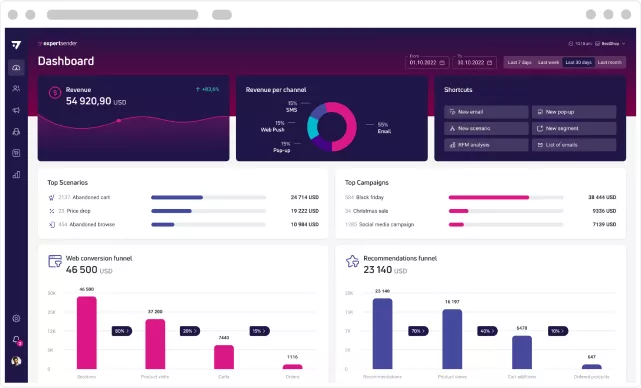
Effective omnichannel communication in ExpertSender
Effective omnichannel communication is based on the coordination of all user data and all channels within a single system. In this approach, Web Push is not a separate tool, but part of a larger Marketing Automation ecosystem.
With the ExpertSender platform, it is possible to combine Web Push with email marketing, SMS, on-site communication and data from other points of contact between the user and the brand. Automation scenarios can take into account both the history of behaviour on the website and previous responses to other messages, allowing for precise selection of the channel, timing and content of the message. If a user has not responded to an email, the next step may be Web Push - or vice versa.
This approach avoids duplication of messages and an excessive number of notifications, while increasing the consistency of the entire communication path. Web Push then becomes a natural complement to marketing and omnichannel strategies, supporting both sales and relationship activities without losing control over the user experience.
Summary
Web Push is an effective communication channel that allows you to reach users in real time without needing their contact details. Properly planned Push notifications, based on consent, context and behavioural data, can really support sales, engagement and customer service in e-commerce.
The key to success is to treat Web Push as part of a broader omnichannel strategy and to use automation to send messages at the right time. This makes Web Push not only a tool for quick response, but also a conscious channel that builds a consistent user experience with the brand.
Frequently asked questions (FAQ)
What are Web Push Notifications?
Web Push Notifications are short messages sent directly to the user's browser after they have given their consent. With Web Push, you can quickly reach your audience even when they are not currently on your website.
Is sending Web Push notifications free?
The Web Push technology itself is free because it is based on mechanisms available in browsers. Costs may arise on the side of the Marketing Automation tool or platform that enables delivery management, automation and integrations.
What is a Push notification?
What is Web Push and how does it work? Answer: A Push notification is a short message displayed on the user's screen as a system message. Such notifications can be sent from both a mobile application and a web browser, always with the recipient's prior consent.
What is Push Service?
Push Service is an external service maintained by the browser manufacturer (e.g. Chrome, Firefox, Safari) that acts as an intermediary in the delivery of push notifications. After consent (opt-in), the browser registers the user's device in its Push Service and receives a unique subscription ID. This makes it clear that the browser wants to receive notifications.
When your server sends a notification, it does not go directly to the user's browser, but first to the Push Service. This service maintains a constant connection with the browser and is responsible for the secure and reliable delivery of the message, even when the website is closed.
Importantly, the Push Service does not require the user's phone number or email address - communication is based solely on a technical subscription ID. This allows the Web Push mechanism to operate independently of user accounts and meet privacy requirements.
Latest Resources
We share our knowledge












-
![]()
Dashboard
-
![]()
Customer Profile 360°
-
![]()
Preference Center
-
![]()
Website personalization
-
![]()
Consents Management
-
![]()
Automated emails
-
![]()
Email Raports
-
![]()
High Deliverability
-
![]()
User real-time tracking
-
![]()
Automated scenarios
-
![]()
RFM analysis
-
![]()
Drag & drop editor
-
![]()
Omnichannel marketing
-
![]()
Recommendation frames
-
![]()
Message checklist
-
![]()
Banners, pop-ups, forms