Shopify – what is it and how does it work?

Are you planning to launch your own online store or thinking about switching platforms? Sooner or later, you'll come across Shopify. It's one of the most popular e-commerce platforms in the world.
In this article, we explain how the Shopify platform works and what sets it apart from open-source solutions.
We also look at Shopify Payments, apps and selling in international markets. Finally, we break down the pricing so it's clear what your subscription covers and what gets added to the bill later.
Shopify - what is it?
Shopify is a Canadian e-commerce platform built on the SaaS model (Software as a Service), where you can build and run an online store without your own server and without coding. The company was founded in 2006 in Ottawa. Today, millions of merchants use its software, from one-person brands to global companies.
The SaaS model means you don't buy a license or install anything. You pay a subscription, and it includes store hosting, an SSL certificate, updates and security. You don't need to find your own hosting or worry about backups. Shopify takes care of that.
In practice, you get a ready-made store that you set up in your browser. You add products, choose a design, connect payments and shipping, and then run your online sales from a single dashboard. Shopify is built mainly for selling physical products, but with apps you can also sell digital files and services.
See also: What is e-commerce? >>>
Why is Shopify so popular?
Shopify is one of the most popular e-commerce platforms because it significantly lowers the barrier to selling online. You can launch a fully functional online store without an IT team or technical knowledge. According to Shopify's data, merchants have made more than $1.1 trillion in total sales on the platform.
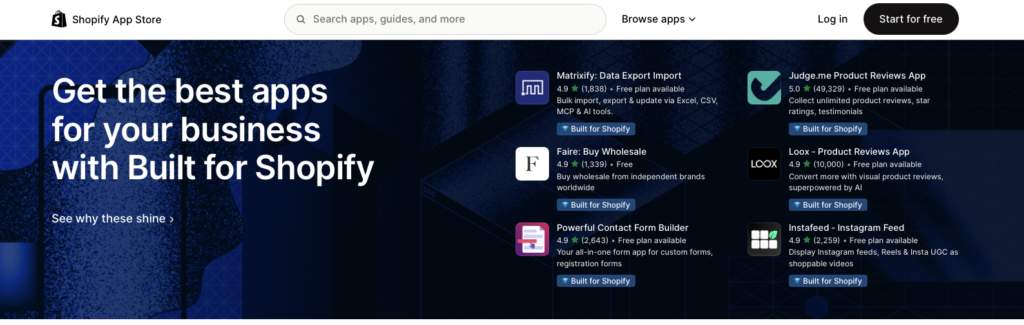
The second reason is the ecosystem. The Shopify App Store offers more than 16,000 apps that extend what your store can do.
The third reason is scalability. The same store can grow from a few orders a month to selling in multiple markets, and the largest brands can move to the Shopify Plus plan.
The large user base also shapes the services market. It's easy to find implementation agencies and developers. Shopify also integrates with many popular third-party apps, which makes things even easier.
Shopify vs open-source platforms
The most important difference between Shopify and open-source platforms is who is responsible for the infrastructure. With Shopify, you pay a subscription, and the platform takes care of servers, security and updates. With open-source solutions, the software itself is usually free, but hosting, implementation, development and maintenance are up to you.
The best-known examples of open-source e-commerce software are WooCommerce, a store plugin for WordPress, and Magento, now developed by Adobe and popular with large, complex stores. Open source gives you full access to the code and plenty of freedom to make changes. The price is developers' time and responsibility for your store's stability, for example during peak sales.
Shopify is a closed platform. You can change the look and behavior of your store with themes, apps and Liquid template code, but you can't edit the source code of the platform itself. For many stores, that's an advantage, because fewer things can break. For businesses with non-standard processes, however, it can be a limitation.
How does Shopify work?
Shopify works as a set of tools for running an online store, available in a web browser and in a mobile app. After you sign up, you get access to the Shopify admin, where you manage products, orders, customers, payments, shipping and marketing.
Customers only see your storefront and the checkout, while all the technology runs in the background on Shopify's servers.
Store setup and themes
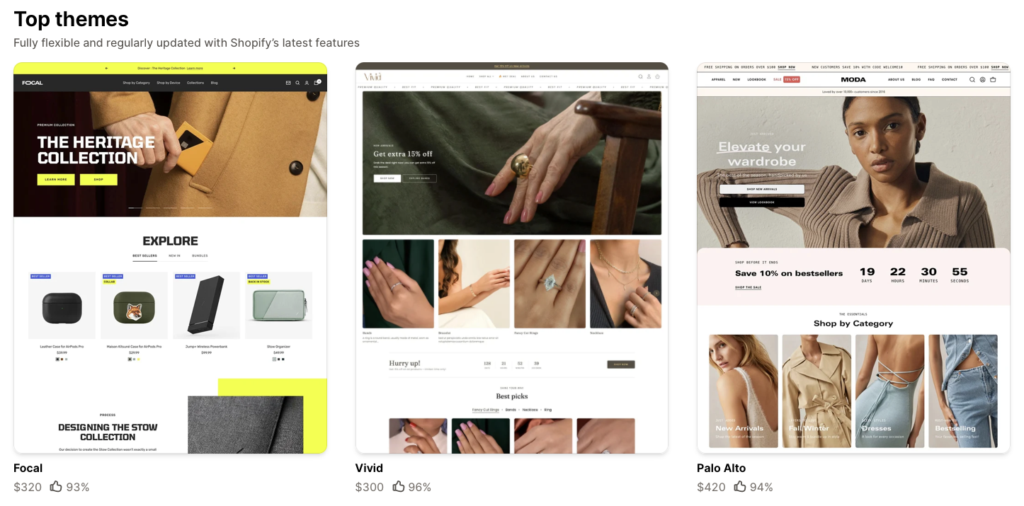
Setting up your store starts with choosing a theme, which is the template that determines how your store looks. In the Shopify Theme Store, you'll find both free and paid themes. Premium themes are usually a one-time purchase, not a subscription.
The theme editor lets you change page layouts, colors, fonts and sections without coding. You can connect your own domain or buy one through Shopify. Every store also gets a free myshopify.com address, which is useful during testing.
Launching a store on Shopify usually involves a few steps:
- Sign up and choose a plan.
- Add products, photos, descriptions and variants.
- Choose a theme and customize the look of your store.
- Set up payments, shipping and taxes.
- Connect your domain and place a test order.
If your product photos and descriptions are ready, you can launch a fully functional online store in a few days. Content and shipping setup usually take the most time, not the technology itself.
Shopify App Store and apps
The Shopify App Store is a marketplace of apps that add features your online store needs to sell but doesn't have out of the box. You'll find integrations with shipping carriers, invoicing software, review systems, loyalty programs and marketing platforms, among others.
Some apps are free, but many are paid apps billed monthly. A few of these add-ons can noticeably increase your store's monthly costs, so check the pricing and reviews before you install them. Too many apps can also slow down your pages.
Out of the box, Shopify offers basic marketing tools: email campaigns, customer segments, discount codes and abandoned checkout reminders. Shopify Flow handles automation in the admin. For example, you can use it to tag customers after their first order or get an alert when inventory runs low.
As a store grows, the built-in tools often stop being enough. Fortunately, Shopify integrates with third-party marketing automation platforms and CDPs (Customer Data Platforms). They combine order and customer behavior data and use it to send emails, SMS messages and push notifications in response to what customers do in your store.
Abandoned cart workflows and price drop alerts for products a customer is watching are good examples.
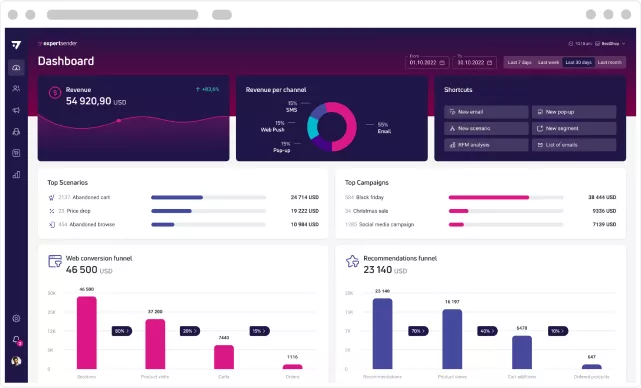
This is how the ExpertSender CDP app in the Shopify App Store works. It syncs orders, your customers' data and marketing consents with your store, and store events trigger communication workflows.
If you'd like to see how these workflows run on data from a Shopify store, book a demo of the ExpertSender platform.
Payments and Shopify Payments
Shopify Payments is Shopify's built-in payment system. It lets you accept payments without connecting a third-party payment provider. You see payouts, refunds and order data in one dashboard.
Shopify Payments is available in many countries, but not in all of them. Where it isn't available, you need a third-party payment provider. The payment methods you can offer also depend on the country, from credit cards and digital wallets to local payment methods.
Shopify payment fee calculator
Choose a plan and enter an order value to see what Shopify charges for a single online card payment.
Shopify Payments
2.9% + 30¢
Fee on this order: $3.20
Third-party gateway
2%
Shopify fee on this order: $2.00
+ your payment provider's own fee
US rates in USD for standard online card payments. Rates vary by country and payment method. Shopify Plus card rates are set individually. Source: Shopify pricing, as of late October 2026.
You pay a processing fee that depends on your plan. In the US, on the Basic plan, Shopify charges 2.9% + 30¢ for a standard online card payment. Higher plans have lower rates.
You can also use third-party payment gateways that you connect through an app. In that case, Shopify charges an additional fee on every transaction: 2% on Basic, 1% on Grow, 0.6% on Advanced and 0.2% on Plus. The payment provider's own fee comes on top of that. In many cases, Shopify Payments ends up cheaper, but it's worth running the numbers on your own sales volume.
Selling internationally with Shopify Markets
Shopify Markets is a built-in tool for selling to international markets from a single store. It lets you translate your storefront, show prices in local currencies, assign local domains and estimate duties and taxes. You don't need to set up a separate store for each country.
Some features, such as prices in local currencies and local payment methods, require Shopify Payments. Before you expand, check which options are available in your store's country.
How much does Shopify cost? Pricing and plans
Shopify's cheapest full plan, Basic, costs $29 per month when billed yearly and $39 when you pay month to month (US pricing). Payment processing fees, paid apps and, optionally, a premium theme come on top of the subscription. Shopify offers a 3-day free trial, and at the time of writing, the next 3 months cost $1 per month.
US pricing in USD. Prices and rates vary by country. Online card rate: Shopify Payments fee. Third-party gateway fee: additional Shopify fee per transaction. Source: Shopify pricing, as of late October 2026.
Plans differ in more than price and fees. Basic is designed for solo entrepreneurs and doesn't include additional staff accounts. Grow (formerly the Shopify plan) includes up to 5 staff accounts. With Advanced, you get up to 15 staff accounts, third-party calculated shipping rates and store customization by region. Every Shopify plan includes hosting, an SSL certificate, unlimited products and sales reports.
Shopify Plus is a package of advanced features for large businesses. It starts at $2,300 per month on a 3-year term and includes a fully customizable checkout, unlimited staff accounts and priority phone support.
The real cost of running a store is the sum of the subscription, payment fees and paid apps, for example for invoicing, shipping or reviews. When you plan your budget, include all of these, not just the price of the plan.
Who is Shopify for?
Shopify works best when you want to start selling quickly and don't want to deal with servers or updates. It's often an ideal solution for direct-to-consumer (D2C) brands, small and medium-sized online stores, stores with a well-defined product range and companies that plan to sell internationally from the start.
Shopify also connects different sales channels well. You can show your products in your store, on social media and on marketplaces. If you have a brick-and-mortar store, Shopify POS lets you accept payments in person, while inventory and customer data sync with your online store. The extended POS Pro version costs $89 per month per location in the US.
Running an online store on Shopify also has its limits. It's less suitable for highly unusual processes, complex ERP integrations or when you need full control over the code. In those cases, compare it with an open-source platform or a custom build. For a store owner starting from scratch who wants to focus on product and marketing, though, a Shopify store is one of the easiest ways to sell online.
Frequently Asked Questions (FAQ)
How much does Shopify cost per month?
In the US, Shopify starts at $29 per month on the Basic plan billed yearly, or $39 when billed monthly. Grow costs $79 or $105, Advanced $299 or $399, and Shopify Plus starts at $2,300.
Payment processing fees and paid apps come on top of the subscription. Prices vary by country.
Is it worth selling on Shopify?
Yes, if you want a fast launch, stability and room to grow without your own IT team. The main drawbacks of Shopify are the cost of additional apps, transaction fees for third-party gateways and no access to the platform's source code. Before you commit, check whether Shopify Payments and your customers' preferred payment methods are available in your country.
Is Shopify free?
No, Shopify is a paid platform with a subscription model. You can test it first: the first 3 days are free, and the next 3 months cost a promotional $1 per month. Promotion terms may change, so check them on Shopify's sign-up page before you register.
Shopify vs WooCommerce - which should you choose?
Choose Shopify for your online store if you want a ready-made platform with hosting and support included in the subscription. WooCommerce is a good fit if you already have a WordPress site and want full control over the code. In that case, hosting and maintenance are up to you or your developer.
Latest Resources
We share our knowledge













-
![]()
Dashboard
-
![]()
Customer Profile 360°
-
![]()
Preference Center
-
![]()
Website personalization
-
![]()
Consents Management
-
![]()
Automated emails
-
![]()
Email Raports
-
![]()
High Deliverability
-
![]()
User real-time tracking
-
![]()
Automated scenarios
-
![]()
RFM analysis
-
![]()
Drag & drop editor
-
![]()
Omnichannel marketing
-
![]()
Recommendation frames
-
![]()
Message checklist
-
![]()
Banners, pop-ups, forms