PrestaShop – what is it and how does it work?


Are you planning your own online store and looking for an e-commerce platform? You've probably heard that PrestaShop is free, and now you want to know more.
Here's the short answer: it's true. PrestaShop is free, but... it isn't cheap. You don't pay for the software, but you decide on the server, the modules and who will take care of the technical side of your store.
In this article, we show how PrestaShop works in a store's day-to-day operations. We explain how open source differs from subscription platforms (the SaaS model), how payments and integrations work and what makes up the budget for a store on this platform.
PrestaShop - what is it?
PrestaShop is an open-source e-commerce platform, meaning software with publicly available source code for building and managing online stores. You download it for free, install it on your own server and adapt it to your product range with modules and templates.
The project started in 2005 as a student project at EPITECH, a computer science school in Paris. In 2007, its creators founded the company PrestaShop. The software is written in PHP and distributed under the Open Software License (OSL). Businesses from around the world and across many industries run their stores on this platform.
In early 2026, the Polish group cyber_Folks completed its acquisition of PrestaShop. The same group also owns Shoper, a Polish SaaS e-commerce platform. Before that, from 2021, PrestaShop was owned by the Italian group MBE Worldwide.
Open source - what you get for free and what you don't
What you get for free is the store software itself, called PrestaShop Classic. You download it from the official website. Out of the box, the PrestaShop software offers an admin dashboard, basic modules and a default template.
Everything around the software is up to you. You need hosting and a domain, and you have to take care of an SSL certificate, backups, updates and security. The installation itself doesn't require coding. However, day-to-day maintenance and development of your store do require technical knowledge or support from an agency, a software house or a freelancer.
If you don't want to deal with servers, you can choose PrestaShop Hosted. It's the same store engine, but with hosting, updates and technical support included in a subscription.
Open-source code gives you full control over your data and the development of your store. A developer can change practically anything, from how the cart looks to data exchange with your warehouse. This freedom comes at a price. Every change is work you pay for, and every update means checking whether your modules still work properly.
PrestaShop vs WooCommerce, Shopify, Magento and Shoper
The most important difference is who's responsible for the technical side of the store. PrestaShop, WooCommerce and Magento are open-source software, so servers, updates and security are your job. Shopify and Shoper run on the SaaS model (Software as a Service), where you pay a subscription and the provider maintains the entire infrastructure.
WooCommerce is a store plugin for WordPress, so it works well when the store complements a content-rich website. Magento is usually chosen for large projects with complex processes and an in-house IT team. PrestaShop is a standalone e-commerce system that offers a lot of flexibility. It usually needs a smaller implementation budget than Magento, though a larger one than WooCommerce.
Shopify and Shoper let you launch a store without a developer, but within the limits set by the provider. Less freedom also means fewer responsibilities.
How does a PrestaShop online store work?
A PrestaShop online store has two parts:
- the admin dashboard (back office) for you,
- the storefront (front office) for your customers.
The admin dashboard is where all your sales management happens: products, orders, customers and every setting. And customers, just like on any other platform, use the storefront in their browser, where they browse products, add them to the cart and place orders.
Installation, admin dashboard and store design
To get started, you need a server that meets the requirements of the latest PrestaShop version, a domain and a database. Many providers offer PrestaShop hosting with installation in a few clicks, so the installation itself isn't difficult.
Launching a PrestaShop store usually looks like this:
- Choose hosting and a domain, then install PrestaShop.
- Set up your company details, currencies, taxes and shipping zones.
- Build your product catalog: add categories and products with variants, such as size and color.
- Choose a template and adapt it to your brand's visual identity.
- Install payment and shipping modules, then place a test order.
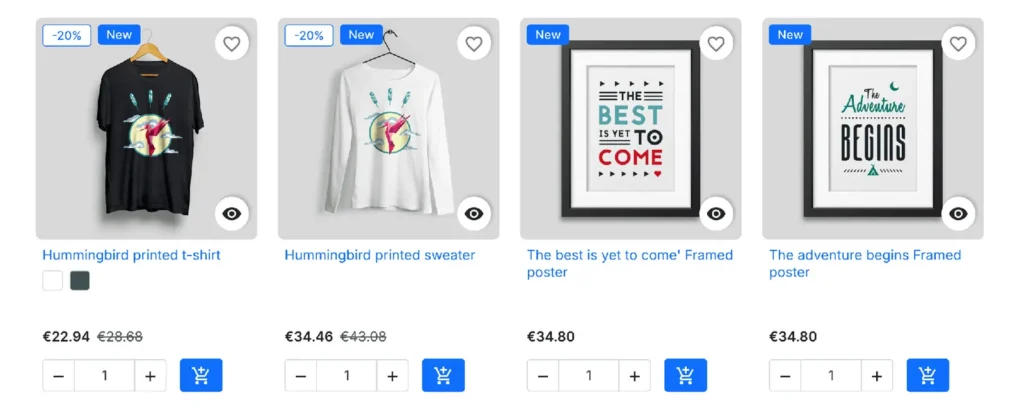
Since version 9.1, the default template has been Hummingbird. In the PrestaShop Addons catalog (PrestaShop Marketplace), you'll find a wide range of free and paid templates. Before you choose, look at an example of a PrestaShop store from your industry in the official showcase. And if you need a store designed from scratch, you can easily hire a PrestaShop agency or a freelancer.
💡 Version 9.2, released in September 2026, introduced a native one-page checkout module. The entire checkout fits on a single page, which shortens the path to purchase and can improve conversion. The same version also added an AI assistant based on an MCP server to the admin dashboard.
Payments and shipping
In PrestaShop, you handle payments and shipping through modules. Most payment providers, from Stripe and PayPal to local gateways, offer modules that add card payments, digital wallets and local payment methods to your checkout. In Poland, for example, stores usually install Przelewy24, PayU or Tpay to accept BLIK, Poland's most popular mobile payment method. Payment modules are built by the providers themselves or by independent developers.
Shipping works the same way. Carrier modules let customers choose a delivery method or a parcel locker in the cart, and you can prepare the shipment directly from the order. Since version 9.1, PrestaShop also supports multiple carriers in a single order.
Before you buy or install a module, check that it's compatible with your store's version and that the developer still maintains it.
Modules, integrations and marketing
Modules (PrestaShop plugins) add features that aren't available out of the box, from product filters to data exchange with external systems. You can buy them in the official PrestaShop Addons catalog or directly from independent developers.
Most often, you use modules to connect your store with:
- ERP and CRM systems, as well as invoicing and e-invoicing software,
- marketplaces such as Amazon, eBay or Allegro, usually through third-party integrators,
- price comparison sites, Google Merchant Center and analytics tools,
- marketing automation and email marketing platforms.
PrestaShop also gives you some features without add-ons. In the admin dashboard, you can set SEO-friendly URLs and meta tags, which helps your store rank and bring in more traffic from Google. Your store can run in multiple languages and currencies, and the multistore feature lets you manage several stores from one admin dashboard. For promotions, you get cart rules and catalog price rules, which are built-in discount tools.
The newsletter module is enough to collect email addresses. But if you want to respond to customer behavior, such as an abandoned cart, you need sales process automation.
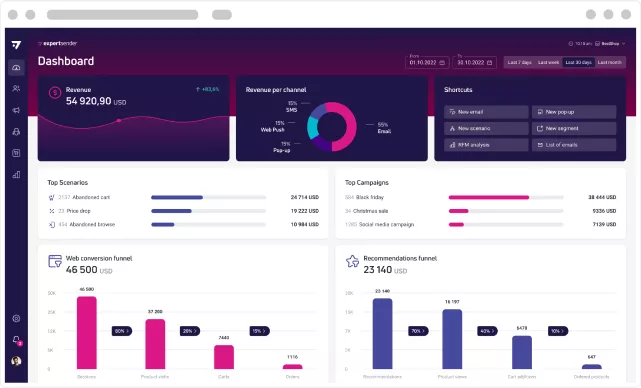
ExpertSender has an official PrestaShop module that sends data about customers, orders and marketing consents to the platform. Based on that data, you run email, SMS and push notification workflows.
If you'd like to see how these workflows run on data from a PrestaShop store, book a demo of the ExpertSender platform.
How much does a PrestaShop online store cost?
The cost of a PrestaShop store depends mainly on how much technical work you outsource. The software itself is free, and your budget is made up of everything around it.
The cost of a store usually includes:
- hosting and a domain, plus a more powerful server if you have high traffic,
- a template, free or paid, or a custom-designed store,
- modules, paid once or by subscription,
- implementation, if you hire an agency for setup and integrations,
- maintenance, meaning updates, backups, technical support and ongoing development of your store.
A small store often starts at a low cost because the store owner sets up the platform themselves. In large online stores, development work and operating costs are often the biggest expenses. That's why you should plan your budget for the long term, not just for the launch.
PrestaShop pros and cons
PrestaShop's biggest advantages are flexibility and no license fees. Its drawbacks come mainly from the fact that you're responsible for the technical side of your store.
Pros:
- No software fees. With PrestaShop Classic, you don't pay a subscription or platform commission on sales.
- Full access to the code. You can adapt your store to your specific business needs.
- A large ecosystem. You can choose from many modules, templates and implementation partners.
- International selling. Multiple languages, currencies and multistore are available out of the box.
- Data ownership. You keep customer and order data on your own server.
Cons:
- Technical responsibility. Security, backups and store performance are up to you.
- Updates need attention. A new version may not work with older modules.
- Add-on costs. Paid modules and development work can quickly increase your budget.
- Learning curve. The initial setup can be harder than on SaaS platforms.
Who is PrestaShop best for?
It's best for stores that want control over their technology and have access to technical support. PrestaShop works well for medium and large stores with a wide product range, sales in several markets or non-standard processes, such as B2B sales.
At a large scale and with high traffic, performance matters, so plan for the right server and store optimization. If you're just starting out and don't want to deal with the technical side of the business, consider a SaaS solution or PrestaShop Hosted.
A simple list will help you decide. Write down your needs and compare them with what each platform offers.
Frequently Asked Questions (FAQ)
Is PrestaShop free?
Yes, you can download and use PrestaShop Classic for free. You pay for hosting, a domain, any paid modules and templates, and developers' work. PrestaShop Hosted is a paid subscription.
How much does it cost to build a PrestaShop store?
It depends on the scope of work. You can set up a simple store yourself at a low cost, while an agency implementation with a custom design and integrations is a much bigger investment. Ask several vendors for quotes based on your own list of requirements. The scope also determines how long a PrestaShop store implementation takes.
Who bought PrestaShop?
PrestaShop is owned by the Polish group cyber_Folks, which completed the acquisition in early 2026 together with Sylius and BitBag. Before that, the platform was owned by the Italian group MBE Worldwide.
Which is better: WooCommerce or PrestaShop?
Neither platform is better for every store. WooCommerce is a WordPress plugin that works well for content-rich websites. It's likely to be cheaper and easier to implement and maintain.
PrestaShop is a standalone e-commerce system with more sales features out of the box, but it also requires more technical knowledge. Put simply, building a PrestaShop store is usually more complex and more expensive.
Which stores use PrestaShop?
Small and large stores across many industries use PrestaShop, from fashion and cosmetics to electronics and technical parts. You'll find many examples of stores built on PrestaShop in the official PrestaShop showcase.
Latest Resources
We share our knowledge












-
![]()
Dashboard
-
![]()
Customer Profile 360°
-
![]()
Preference Center
-
![]()
Website personalization
-
![]()
Consents Management
-
![]()
Automated emails
-
![]()
Email Raports
-
![]()
High Deliverability
-
![]()
User real-time tracking
-
![]()
Automated scenarios
-
![]()
RFM analysis
-
![]()
Drag & drop editor
-
![]()
Omnichannel marketing
-
![]()
Recommendation frames
-
![]()
Message checklist
-
![]()
Banners, pop-ups, forms